Toon Drive 3D Parking
Reviews
💡Toon Drive 3D offers a clean driving experience with easy controls. The levels start simple and become more complex, providing a steady learning curve. Unlocking new vehicles adds motivation to keep playing. The 3D environments are varied and clear. This game is good for short sessions or longer play. It has good replay value for practicing parking skills.
Description
Game Introduction
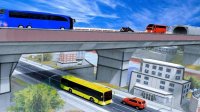
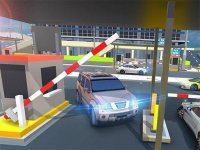
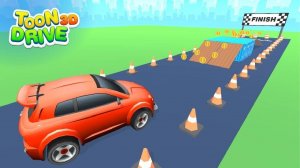
Toon Drive 3D is an arcade-style parking game where you take control of various vehicles. Starting with a sturdy SUV, you can work your way up to supercars, trucks, and off-road vehicles. Each level takes place in a unique 3D environment, from multi-story garages to creative landscapes. Your goal is to drive from the start point to the marked parking spot while avoiding walls and obstacles. The game combines simple controls with progressively harder challenges, making it suitable for players of all ages who enjoy cars and puzzles.
How to Play
Playing Toon Drive 3D is easy with one-finger controls. Tap and hold on the screen to accelerate; release your finger to brake. This system makes it simple to control your speed and position. Your task is to guide your vehicle to the parking spot in each level. Drive carefully through tight corners, ramps, and rooftop areas. Avoid hitting walls or other obstacles. Safe driving is rewarded with progress and new vehicles. The game works in portrait mode for quick play sessions.
Game Features
Features include easy one-finger controls that are simple to learn, portrait mode gameplay for playing on the go, a diverse collection of vehicles to unlock, multiple challenging 3D levels with different environments, and family-friendly content suitable for all ages.
Tips for Success
To succeed in Toon Drive 3D, practice smooth acceleration and braking to maintain control. Take your time on each level and plan your route before moving. Learn from mistakes by replaying levels to improve your driving line. Focus on precision rather than speed, as careful parking is key to progressing. Regular practice will help you master the controls and unlock new vehicles.